
Company logo
SMART570 Installation and Operating InstructionsSearchTable of contentsHome
 
 
Diagnostic of connected devices
 
On this screen, you can find detailed information on all of the devices connected to the bus.


Path


On the start screen, press:
 
 
 Diagnose_40x40 >  Speedscource_Ext_Isobus.


Controls


The following function icons appear on the screen:
 
Function icon
Meaning
 Zurück_64x48
Switches back to the previous screen.
 Diagnose_40x40
Switches to the diagnostics screen of the terminal.
 FolderOpen_32x32
Switches to the screen for deleting object pools.
 
The following information can be found on the screen:
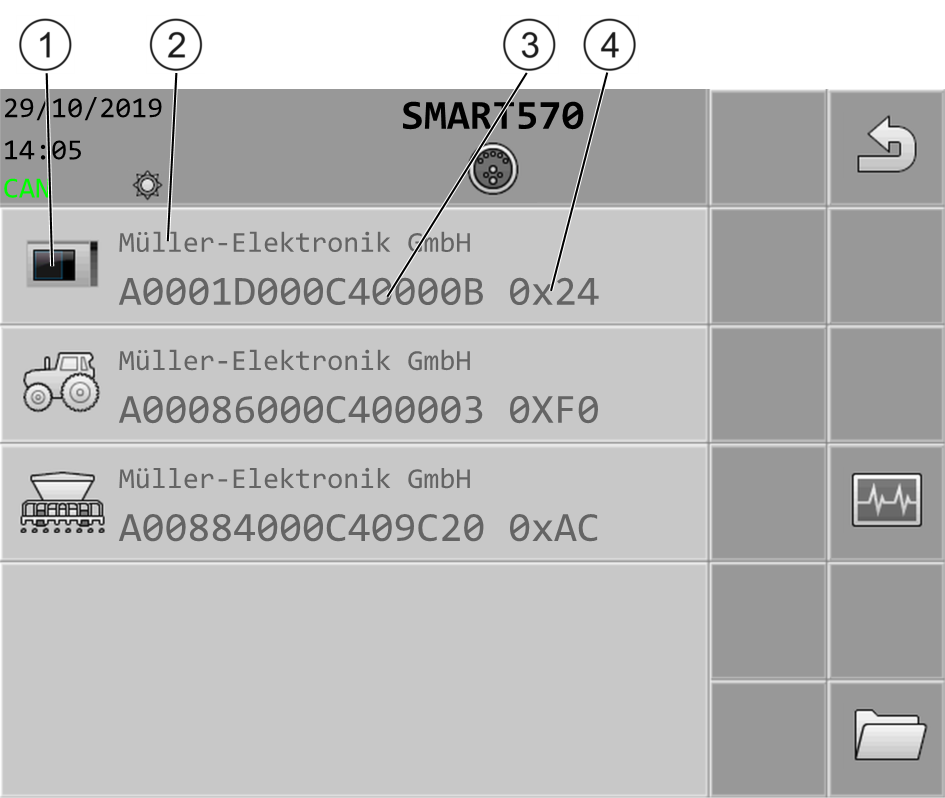
 
 
Symbol for the respective device type
ISO name
Manufacturer
CAN bus address