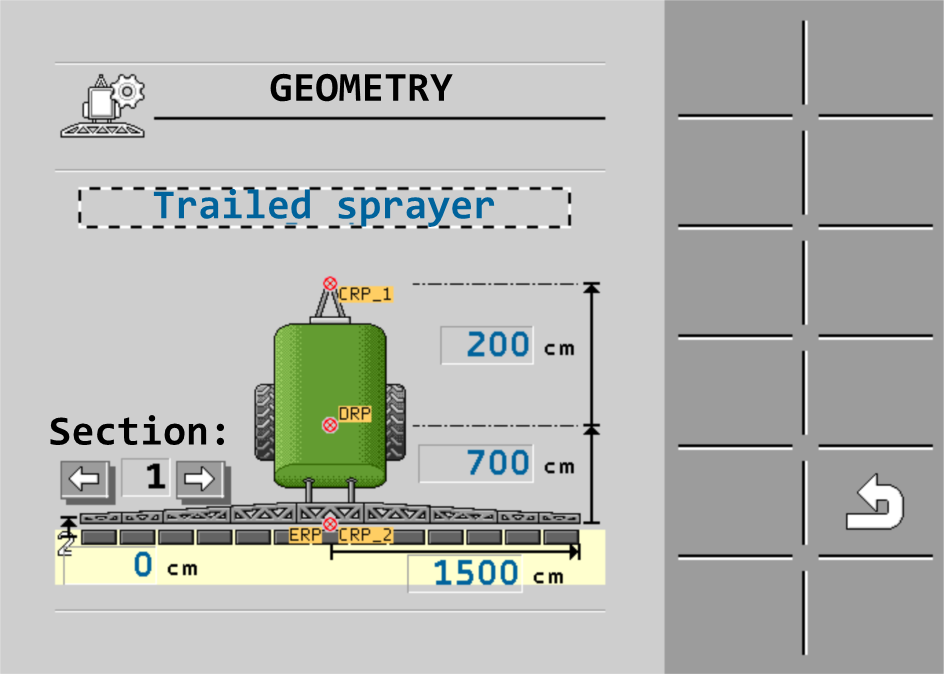
Entering the sprayer geometry
Sprayer geometry is a set of parameters that describe the dimensions of your implement.
Setting the sprayer geometry lets the software know exactly how long and how wide the sprayer is and where the individual sections are located.
Sprayer geometry parameters
When setting the sprayer geometry, you must measure the following distances:
- ▪
- CRP – Attachment point of the trailed sprayer.
- ▪
- DRP – Pivot point of the sprayer, or point at which there is soil contact.
- ▪
- ERP – Position of the nozzles.
Procedure
 >
>  >
>  >
>