


Configuring the sequences
After you have calibrated the sensors, you can create sequences for different folding and unfolding variations. In a sequence, you can define which functions should be executed simultaneously or consecutively when the boom is being folded or unfolded. There is a multitude of configuration options.
You must perform the configuration of the sequences on the “Settings” screen.


The folding variations for which you can create a sequence depend on whether you want to work symmetrically or asymmetrically on the headlands. On the “Options” screen, you can make the following settings for this:
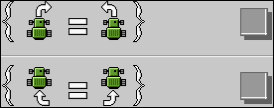
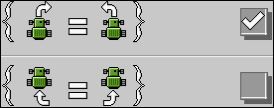
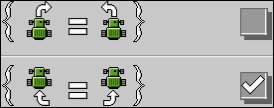
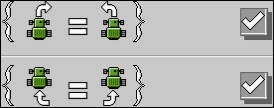
Depending on the settings, you can configure the following folding variations:
- ▪
- “Fold static”
- ▪
- “Unfold static”
- ▪
- “Fold right”
- ▪
- “Unfold right”
- ▪
- “Fold left”
- ▪
- “Unfold left”
- ▪
- “Fold left/right”
- ▪
- “Unfold left/right”
The following functions can be assigned to a sequence:


Procedure
 >
> 
- ⇨
- The “Options” screen appears.
- 2.
- Select the working method for the headlands.
 - Open the screen for the sequence configuration.
- ⇨
- The “Settings” screen appears.
- 4.
- Select the folding variation for which you want to create a sequence.
 - Add the first sequence step.
- 7.
- Activate the boom part for which you want to use the function.
- 8.
 - As an option, you can add other functions to the sequence step. Please note that all functions that you assign to a single sequence step are always executed simultaneously. You can assign a maximum of five functions to a sequence step.
- 10.
- Repeat the procedure for this and any other sequence steps. You can configure a maximum of six sequence steps for each folding variation.
- ⇨
- You have created a sequence for the selected folding variation.
- 11.
- Select the next folding variation for which you want to create a sequence.
- 12.
- Repeat the procedure for this and other folding variations until you have created a sequence for all folding variations.
 /
/ - Exit the screen.
- ⇨
- You have created sequences for the respective folding variations.
Example
Based on the following example, you can see how the configuration of a sequence can look.
- ⇨
- The “Options” screen appears.
- ⇨
- The “Settings” screen appears.
- 4.
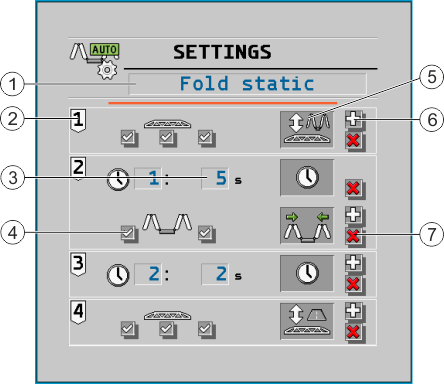
- Select the “Fold static” folding variation.



- ⇨
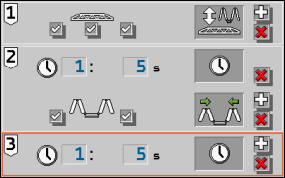
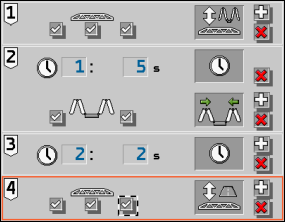
- After starting the sequence, the boom will be automatically moved to the folding height.
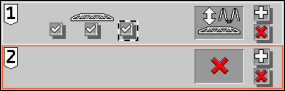
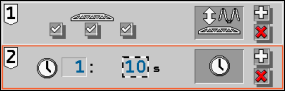
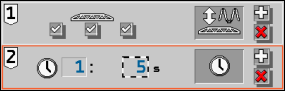
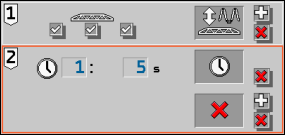
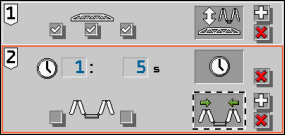
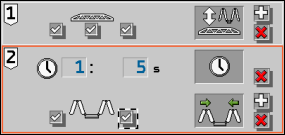
- ⇨
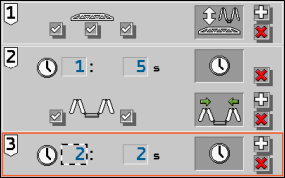
- In sequence step 2, the fold boom function (left and right simultaneously) will be executed for 5 seconds.
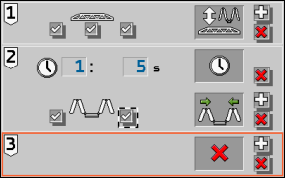
- ⇨
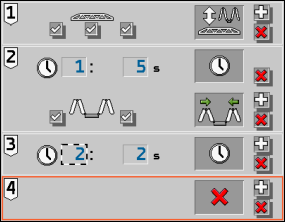
- After folding the boom, there is a waiting period of 2 seconds.
- ⇨
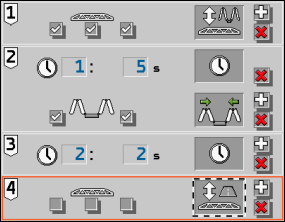
- After the waiting period of 2 seconds from sequence step 3, the boom is moved to the transport position.
- ⇨
- You have created the sequence for the “Fold static” folding variation.