


Changing the control mode
Before you start working, you must select which control mode you want to use.
Procedure
 >
>  >
> 
- ⇨
- The “Spray regulation” screen appears.
- 2.
- Enter the desired target rate.
- 3.
- Select the control mode.
- ⇨
- If you select the “Ground surface” control mode, you do not need to make any other settings. In the “Ground surface” control mode, application is performed uniformly across the actual working width according to the specified target rate.
- ⇨
- If you select the “Plants surface” control mode, the “Boom reference” parameter appears. The boom reference shows the activated and deactivated spraying areas. In the “Plants surface” control mode, the entered target rate is always based on the active spraying areas. In this case, the correct number of nozzles and the correct nozzle colour must be set for each spraying area. Based on this information, the job computer application automatically calculates the required target rate for the active spraying areas. If spraying areas are switched on or off during operation, the required target rate is automatically adjusted. This control mode is sensible if more than one spraying area is used on each side, because the “Ground surface” control mode only uses the actual working width to calculate the target rate.
 - Activate operation of the spraying areas.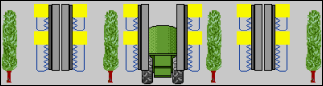
- 5.
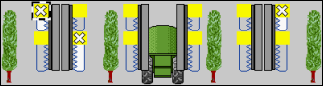
- Press on the desired spraying areas to activate/deactivate them.
- 7.
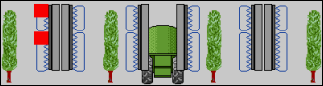
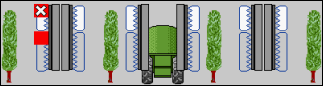
- Press on the desired spraying areas to activate/deactivate them.
- ⇨
- You have changed the control mode.