

Configuring the job computer Calibrating the flow meterCalibrating the flow meter with the tank method
Calibrating the flow meterCalibrating the flow meter with the tank methodCalibrating the flow meter with the tank method
Mode of operation
With the tank method, a large quantity of water will be applied from the tank over a specific time.
The flow meter measures the impulses during this time.
After the application, you must enter the quantity of water that has been applied.
The computer calculates the number of impulses per litre.


Procedure
- þ
- All sections are selected.
 icon appears in the “Spray data” area of the work screen).
- þ
- The tank is filled with clear water. For this, you need several hundred litres of clear water.
- þ
- You have the option of weighing the entire trailer or measuring the volume of water applied with another method.
- þ
- Pump is switched on.
- 1.
- Ensure that all prerequisites have been fulfilled.
- 2.
- Weigh the tank.
 >
>  >
> >
> 
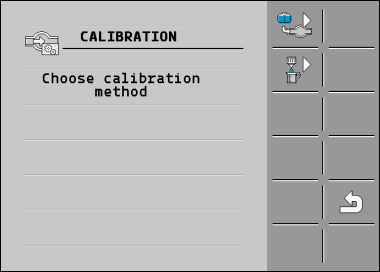
 - Select the tank method.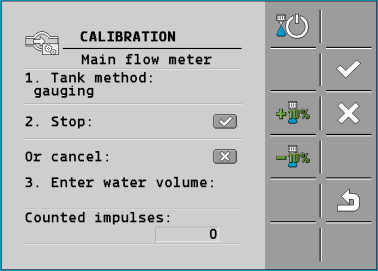
 - Start application
- ⇨
- During application, the number of impulses will be counted on the “CALIBRATION – Main flow meter” screen.
- 6.
- Apply a few hundred litres. Do not fully empty the tank. This prevents air bubbles from forming and distorting the results.
- ⇨
- The application will be stopped.
- ⇨
- No impulses are counted on the display.
 - Stop calibration.
- 9.
- Weigh the tank.
- 10.
- Enter the applied quantity in litres on the “Enter water volume” line.
 - Exit the screen.
- ⇨
- You have calibrated the flow meter with the tank method.