

Configuring section control
The MULTI-Control function also enables section control on complex machines.
Examples:
- ▪
- Field sprayer with multiple booms.
- ▪
- Planter/seeder with a slug pellet spreader.
- ▪
- Machine combinations, like slurry tanker and planter/seeder.
Configuration
No additional configuration steps are necessary to be able to use MULTI-Control for section control. If the job computer allows it, ISOBUS-TC can correctly detect the sections and transmit data between SECTION-Control and the job computer.
Example
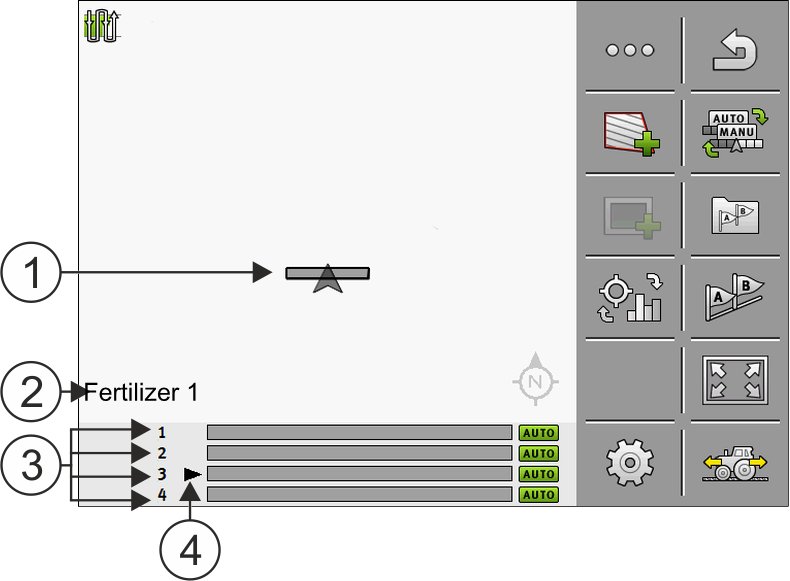


Operation
When operating systems with MULTI-Control, the following options are available:
- ▪
- Tap the vehicle symbol in the middle of the screen to select which metering unit or which boom should be displayed. The boom changes in the footer.
- ▪
- Tap the product that appears at the bottom left to switch the display between several products (e.g. fertilizer types). The name of the product changes.
Depending on the design of the machine, one or the other method works.