


Creating a task
Procedure
- 1.
- Tap “Tasks”.
 - Create a new task.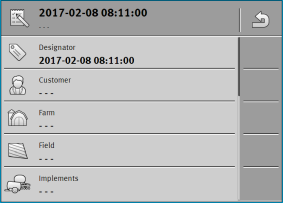
- 3.
- Tap “Field”.
- 4.
- Select the field that you want to process. Only fields that you created in the master data are displayed.
 - Exit the form.
- 6.
- In this step, ignore the “Implements” and “Target rates” categories. When starting the task, the terminal automatically recognizes which implements are connected. Then you can also enter the target rates.
- ⇨
- The following message appears: “Do you want to save the changes?”
- 8.
- Confirm.
- ⇨
- You have created a task and selected the field to be worked.