


Viewing functions
Procedure
To view the functions which are assigned to the joystick:
- þ
- The job computer is connected to the ISOBUS power socket.
- þ
- You have assigned functions to the joystick.
- 1.
- Start the terminal.
- 2.
- Open the selection menu.
 – Open the Joystick application.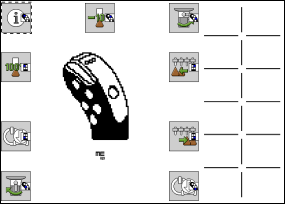
- ⇨
- You can then see which joystick button has been assigned to an ISOBUS job computer function. The current level is also shown on the screen.